WP Job Manager Geolocation 3.0 is a major rebuild of the plugin’s runtime, package structure, settings, licensing, and location storage. It introduces focused Starter and Pro packages, embeds the WPGeo Framework, and adds a controlled migration path for sites upgrading from version 2.3.3.
This overview explains what changes, what existing sites must prepare, and how to verify an upgrade. For the complete step-by-step procedure, use the 2.3.3 to 3.0 upgrade guide.
Before you begin
WP Job Manager Geolocation 3.0 is not a routine point update. Create complete file and database backups and rehearse the update on a staging copy before changing production.
Existing sites should prepare the new Google Maps Platform services, choose the correct package, allow the location migration to finish, clear caches, and verify public searches and maps. The legacy location table remains intact, but it is not a complete rollback mechanism by itself.
Begin only when the stable 3.0 package is offered in your account or WordPress updater. If the available download is still 2.3.3, wait rather than installing a beta or release-candidate build on production.
Starter and Pro packages
Starter
Starter provides the core WP Job Manager job-listing geolocation features for one website. It is intended for sites that need location-aware jobs without Resume Manager or Job Alerts integration.
Pro
Pro includes the job-listing features and adds Resume Manager and Job Alerts integrations. It is available for 1, 3, or 20 websites.
WP Job Manager Geolocation Pro does not include WP Job Manager’s own extensions. Resume features require the separately installed WP Job Manager Resume Manager extension. Alert features require the separately installed WP Job Manager Job Alerts extension.
Starter and Pro are separate package builds. License activation enables eligible updates and support for the installed package; it does not add missing Pro files to a Starter installation.
A rebuilt geolocation foundation
Version 3.0 is rebuilt around an embedded WPGeo Framework runtime. A separate framework plugin is not required. Package-aware loading keeps Starter focused on Jobs while Pro loads the additional Resume Manager and Job Alerts integrations.
The administrator experience now includes:
- A dedicated License tab.
- WPGeo connected-account workflows for reviewing licenses and eligible packages.
- Separated General, Search & Map, Single Page, License, and Tools settings.
- A migration runner with saved progress.
- Repair scanners for missing indexed Job locations and, in Pro, Resume locations.
Search, maps, and shortcodes
Version 3.0 supports location-aware job searches with address autocomplete, current-location controls, radius filtering, distance ordering, distance display, and optional results maps. Pro applies the corresponding workflows to Resume Manager.
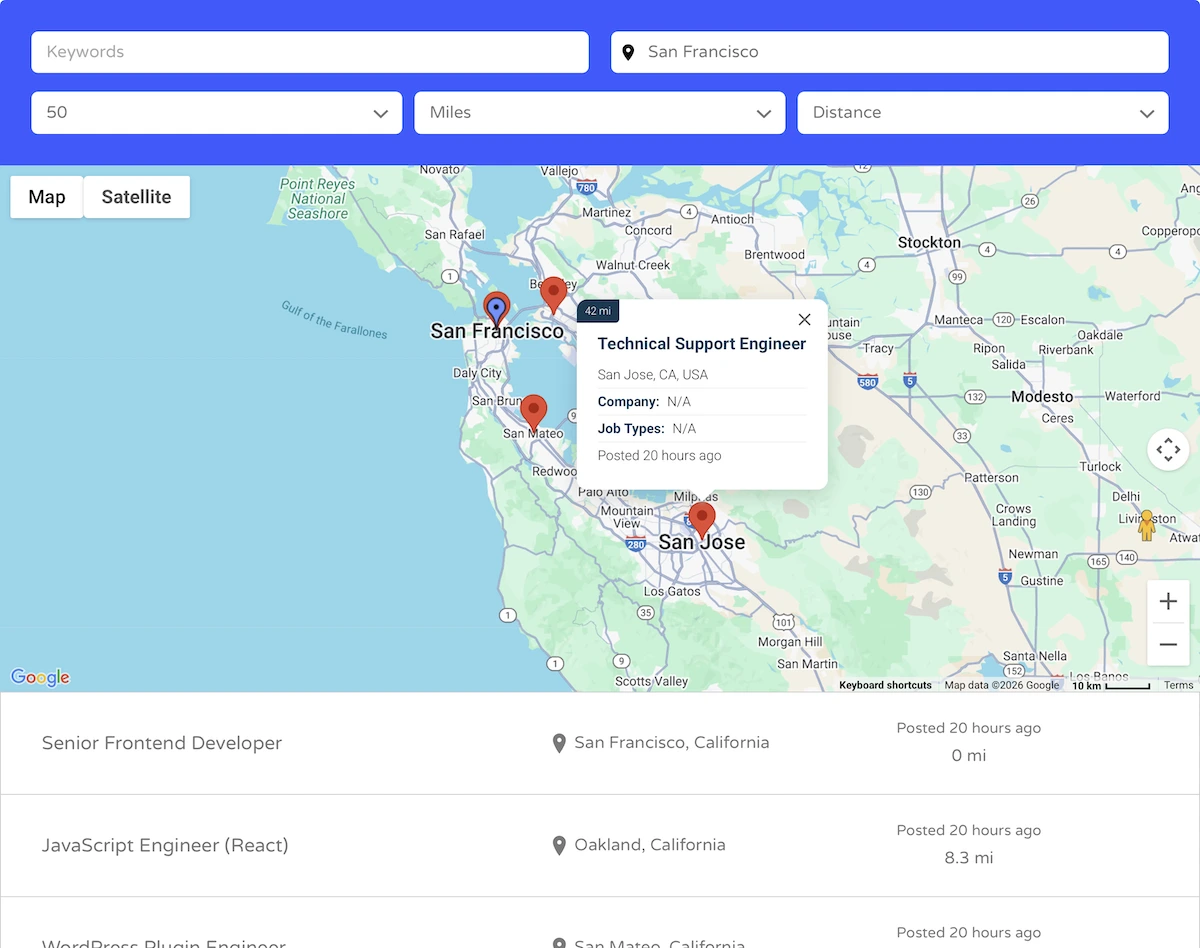
Proximity search works with or without a visible results map. Map display can be disabled without disabling the location query.
The standard WP Job Manager shortcodes use the current wpjmgeo_mode interface:
[jobs wpjmgeo_mode="settings"]uses the saved Search & Map settings.[jobs wpjmgeo_mode="shortcode"]uses attributes supplied on that shortcode.[resumes wpjmgeo_mode="settings"]provides the Pro Resume Manager equivalent.
Version 3.0 also includes dedicated Jobs shortcodes for geolocation form fields, results maps, single-job maps, and mashup maps, with Pro Resume equivalents. When a search/listing shortcode and a separate results-map shortcode must coordinate, assign the same explicit element ID to both.
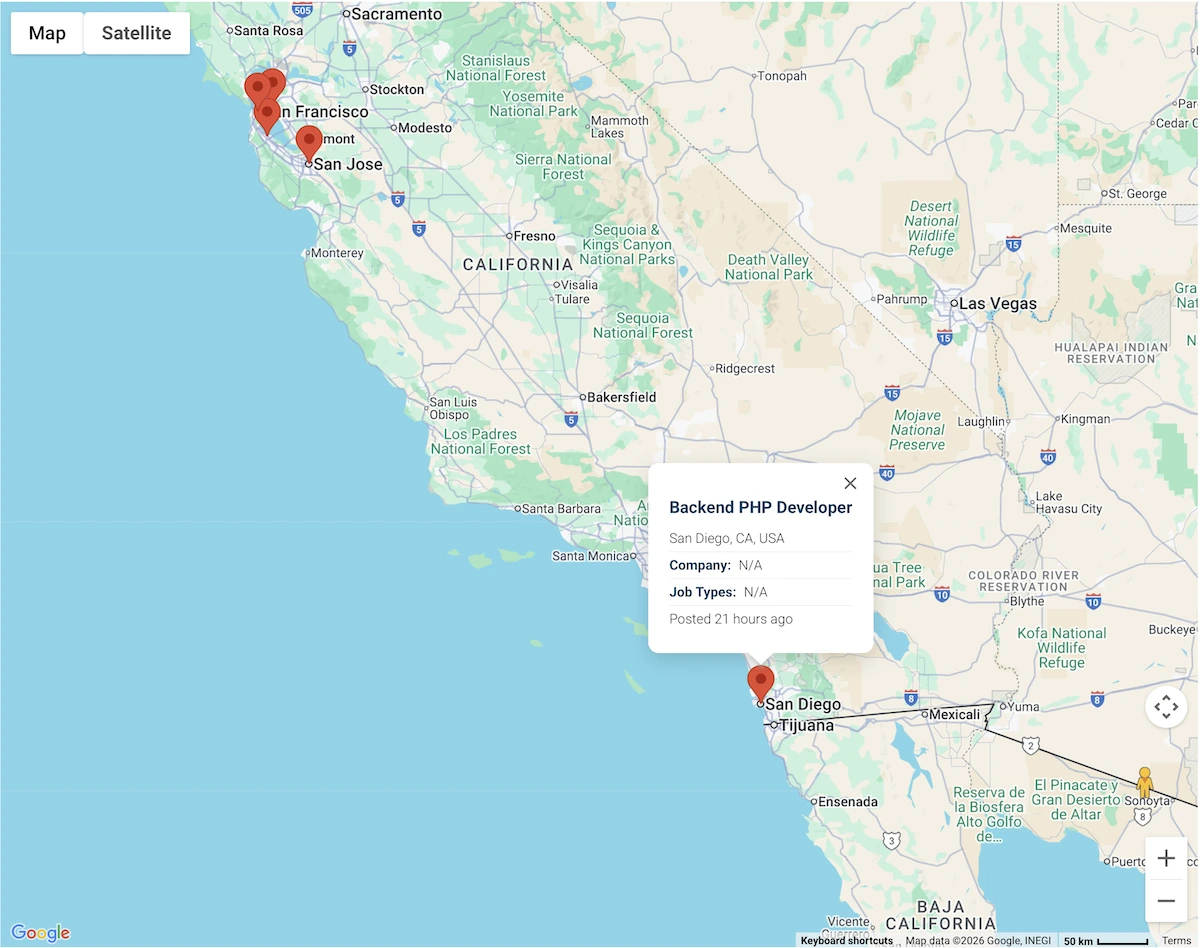
Older wpjmgeo_use values retain compatibility handling, but updated pages should use wpjmgeo_mode. See the Geolocation Shortcode Attributes guide.
Pro integrations
Resume Manager
Resume geolocation is now part of WP Job Manager Geolocation Pro. After verifying the Pro package and migrated Resume locations, administrators can deactivate and remove the deprecated standalone Resume Manager Geolocation extension. Follow Resume Geolocation Setup and Migration for the safe sequence.
Job Alerts
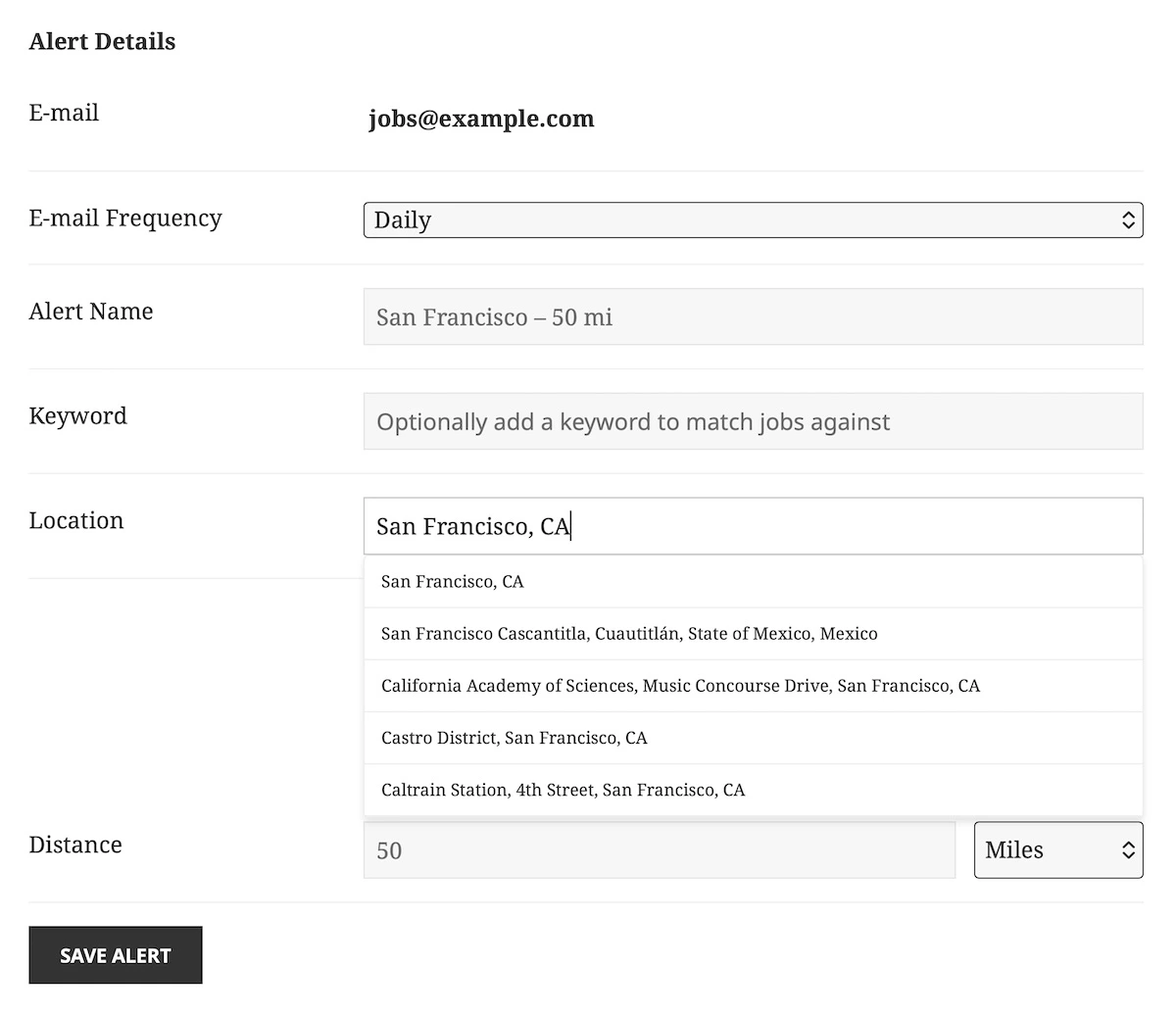
Pro integrates location controls with Job Alerts and registers its form assets early enough for block-theme pages. The separate WP Job Manager Job Alerts extension remains required. Follow Job Alerts Geolocation Setup for the available radius, units, autocomplete, and email options.
Google API key requirements
Version 3.0 requires a Google Cloud project with billing and these services enabled:
- Maps JavaScript API
- Places API (New)
- Geocoding API
Use a website/referrer-restricted Browser API Key for maps, Places autocomplete, and browser-side geocoding. Use a separate IP-restricted Server API Key for private server-side Geocoding API requests.
Sites upgrading from 2.3.3 may have Places API (Legacy) enabled. Version 3.0 uses Places API (New), so enable the new service and add it to the Browser API Key restrictions before updating. Routes API is not required for this product’s proximity searches.
Follow Generating Google Maps API Keys for the complete setup and testing procedure.
Location migration and repair tools
Version 3.0 stores indexed locations in WPGeo location storage. During the upgrade, the plugin copies legacy places_locator rows in bounded, retry-safe batches. Jobs and Resumes are processed together, rows can be retained even when the related post is missing, and the legacy table is left unchanged.
While migration is incomplete, an administrator notice warns that location-based search results may be incomplete. Normal requests continue processing bounded batches, and administrators can complete consecutive batches from Job Listings → Settings → Geolocation → Tools → Location Upgrade. The notice disappears when the migration completion marker is written.
The Tools tab also includes Scan for Missing Job Locations and, in Pro, Scan for Missing Resume Locations. These scanners repair missing indexed locations for current posts without overwriting locations already stored in WPGeo. Optional geocoding is disabled unless the administrator selects it for the repair run.
Read Location Tools: Migration and Repair for the distinction between the one-time versioned migration and the ongoing repair tools.
Upgrade checklist
- Back up the complete database and files.
- Test the upgrade on staging.
- Confirm WordPress 6.5+, PHP 7.4+, and WP Job Manager 2.0+.
- Choose the correct Starter or Pro package.
- Confirm the separate Resume Manager or Job Alerts extensions when using their Pro integrations.
- Enable Maps JavaScript API, Places API (New), and Geocoding API.
- Configure separate Browser and Server API keys with the correct restrictions.
- Install the new package and verify the License and General tabs.
- Finish the location migration from the Jobs Tools tab.
- Replace old
wpjmgeo_useexamples with the currentwpjmgeo_modesyntax. - Clear every page, object, host, and CDN cache.
After the upgrade
Verify more than the WordPress administrator screen. Test the actual pages visitors use:
- Create or update a Job location with autocomplete.
- Run a known proximity search with and without a results map.
- Confirm distances, ordering, markers, and the single Job map.
- In Pro, repeat the checks for Resumes.
- In Pro with Job Alerts, create or update a location-based alert.
- Check the browser console for blocked Google services, referrer errors, or billing errors.
- Confirm that the migration notice is gone.
If rollback is required, restore the complete pre-upgrade database and the matching 2.3.3 plugin files together. The retained legacy table is useful migration safety, but it is not a complete rollback on its own.